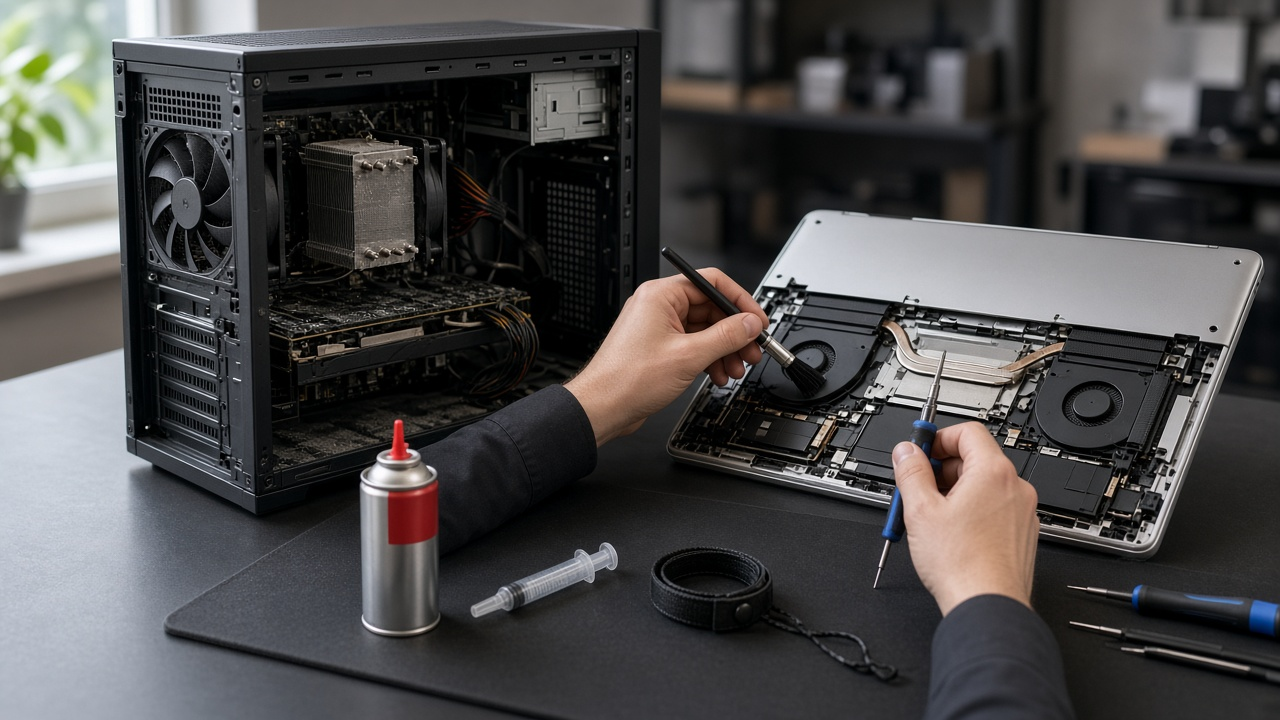
Yes. Both a laptop and a desktop computer need regular maintenance (preventive service) — not because they are broken, but because dust, heat and natural wear accumulate while the machine still “works fine.” The biggest mistake is waiting for a sudden shutdown, a screaming fan or a swollen battery. By then preventive service has turned into an expensive hardware repair.
In Ioannina we see it every week: laptops that shut down from heat after two years without being opened, desktops under the desk packed with lint, office PCs that “felt slow” when the real problem was temperature, not the CPU. On laptop repair and PC repair, diagnosis is free, so we can tell you clearly whether you need cleaning, thermal paste, a fan — or whether your system is already in good shape.
The short answer
- Laptop: preventive service is usually every 18 months. With long hours of daily use, gaming, pets or smoke, every 12–18 months.
- Desktop PC: in a clean office, every 18–24 months. Under the desk, on a rug, with a pet or in a dusty room, every 12–18 months.
- Do not wait for the calendar if it runs hot, the fan howls, it shuts itself off, it smells burnt, or the battery is swelling.
These intervals are a practical guide, not an appointment to the minute. What matters is the room, hours of use, and whether the machine sits on the floor or on a stand with free airflow.
Maintenance or service? What is the real difference?
In everyday language, most people say “taking the computer in for a service,” exactly as they do with a car. Technically, the precise term is “preventive maintenance.”
The crucial distinction is not the word, but the timing:
- Regular service / preventive maintenance (before anything breaks): The computer is working. A deep internal clean is carried out, thermal paste is renewed if required, and fans, battery health, and drive condition are tested. It costs little, is usually finished the same day, and prevents component failure.
- Breakdown repair (after it fails): The machine will not turn on, shuts off mid-task, or has burned out a graphics card or power supply. This requires replacement parts, longer downtime, and noticeably higher costs.
Booking a regular service on time is the single easiest way to avoid costly repairs.
30-second quick check: Is it time for a service?
If you do not remember when your computer was last opened and inspected, run through this quick checklist:
- Has it been over 18 months since you bought it or last had it serviced?
- Does the underside of the laptop or the top of the desktop case feel hot after 20 minutes of light use?
- Does the cooling fan spin up loudly even when you only have a browser or a document open?
- Have you noticed sudden freezes and stuttering that were not there before?
If you answered “yes” to two or more, your computer does not need replacement — it needs a preventive check.
Why it needs maintenance while it still turns on
Every computer produces heat. Fans pull air — and with it dust, hair and lint. Inside a laptop the space is tight: a thin layer on the heatsink blocks the exhaust, and the processor throttles down (thermal throttling) to protect itself. You feel that as “the computer is crawling” without any actual hardware failure.
Over time the thermal paste between the processor and the heatsink also dries out. It does not need changing at every cleaning. It needs changing when the machine is a few years old and temperatures stay high after a proper clean.
Laptops also have a battery: charge cycles, swelling, and sudden shutdowns off the charger. Desktops add the power supply and — on gaming PCs — the graphics card, which collects dust on its own fins. Software, updates and a full disk are a different issue: sometimes Windows just needs a tidy-up, sometimes an SSD upgrade. Preventive service separates those cases before you pay for the wrong job.
Laptops and desktops do not share the same schedule
A laptop overheats more easily. It burns on your lap, at the side vents or under the display, and often sits on a sofa or bed that blocks the intakes. It travels in a bag, changes rooms, and charges for hours. That is why internal cleaning usually comes sooner than on a desktop. MacBooks follow the same logic: thin build, fragile clips — not “open it at home with a screwdriver.”
A desktop has more space and often removable filters. If it sits on the floor, next to a radiator or on a rug, it pulls in whatever moves in the room. A PC in a clean office, on the desk, can go longer between services. A gaming tower that runs for hours with the side panel off, or with no filters, needs checking more often — as we explain in cleaning dust from a computer.
External care helps, but it does not replace internal service. For the screen, keyboard and vents without opening the machine, see how to clean a laptop properly.
What full preventive service includes
It is not “a bit of air in the case.” A proper workshop check includes:
- Internal dust cleaning of heatsinks, fans and air ducts.
- Fan check (bearings, grinding, RPM, balance).
- Temperature tests at idle and under realistic load.
- Thermal paste replacement only when needed, using high-grade thermal compound.
- Battery health analysis on laptops (capacity, cell wear, swelling).
- Drive health check (clicking HDDs with bad sectors or failing SSDs) before files are lost.
- Functional OS check: that does not mean an automatic format. Your data stays safe and untouched.
Work is typically completed the same day or within 24 hours so you do not lose working time. You always receive an upfront price quote before any work starts.
How often: a practical calendar
- Clean office, daily use. Laptop every 18 months. Desktop PC every 18–24 months.
- Long hours, calls, Office. Both, about every 18 months.
- Gaming, video, 3D. Every 12–18 months, laptop and desktop.
- Pets, smoke, a rug, or a PC on the floor. Every 12–18 months — dust collects faster than a “clean office” calendar.
- A work machine (till, warehouse, always on). Do not wait for a fault. Check it before business operations stop.
If two and a half years have passed without it being opened, do not wait for “the next round year.” Bring it in. The first visit often finds dust that should have come out sooner.
Signs not to wait for the appointment
Book a check now if you see:
- A fan running loud on a simple browser or document.
- A burning underside on the laptop, or very hot air from the case.
- Unexpected restarts, shutdowns in a game or while saving a file.
- A burnt smell or grinding from a fan.
- A battery that bows the bottom cover or barely holds a charge.
- A sudden drop in performance that was not there a few months ago.
These are not “I’ll look at it over the holidays.” Overheating and a swollen battery can damage a motherboard, a screen or your data. If the PC is simply slow with no heat, the cause may be the drive or RAM — see when an upgrade is needed instead of paying only for a clean.
What you can do at home — and what to leave to a technician
At home it helps not to block the vents, to lift the laptop off soft surfaces, to clean external filters on a desktop, and to keep backups. Do not put a vacuum on the grilles, and do not open a laptop or Mac if you do not know the model: clips, ribbon cables and glued batteries break easily, and the cost then exceeds a preventive clean.
Internal cleaning, paste, the fan and the battery are workshop work. So is diagnosis when you are not sure whether dust, the disk or the software is at fault.
Frequently asked questions
If it still works fine, does it need service?
Yes, as prevention — not as a repair. A computer can run for months with clogged heatsinks until it throttles or shuts down on thermal protection. The check tells you whether anything actually needs doing.
Does a laptop need service more often than a desktop?
Usually yes, because it cools in a smaller space and it travels. A desktop in a clean office, on the desk, can often go 18–24 months. The same PC on the floor, next to a rug, moves closer to a laptop’s schedule.
Will I lose my files during a service or maintenance?
No. Hardware cleaning, thermal paste and internal inspection do not affect your personal files, photos or installed programs. We do not format or wipe your drive unless you specifically request it following a disk failure or virus issue.
How often should thermal paste be replaced?
Not at every cleaning. Typically after 2–4 years of use, or when temperatures stay high once the dust is gone. Diagnosis shows it; we do not change paste just to “do a job.”
Can I do the internal clean myself?
On a desktop with easy access, the external filters yes — with the machine fully off and unplugged. On a laptop, almost never safely. If it already runs hot, bring it in before a wrong move costs more.
How much does preventive service cost?
It depends on the device (laptop, PC, gaming) and on whether cleaning is enough or you also need paste, a fan or a battery. After the free diagnosis you hear the price, and we proceed only with your approval.
Do not wait for the computer to shut down before you bring it in. A preventive service every 18 months — or sooner if it runs hot — protects parts, cuts noise and keeps your work running. See laptop repair or PC repair, or call +30 697 448 4324 for a free diagnosis in Ioannina.