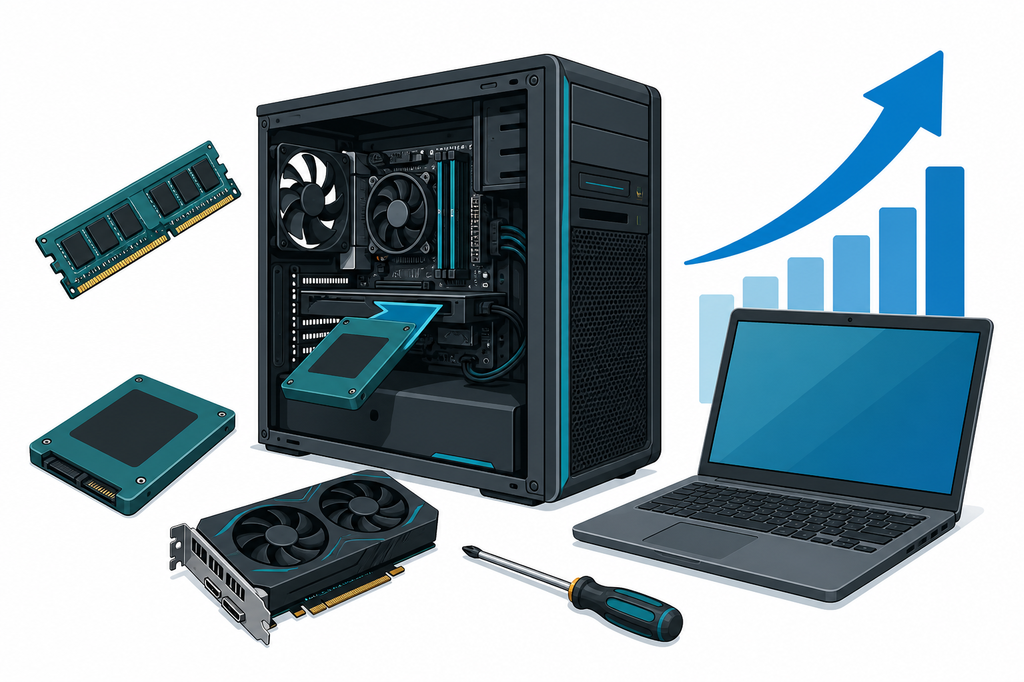
When does my computer need an upgrade is not answered by the machine’s age. A five-year-old PC can feel new again with an SSD and more RAM. A newer one can crawl because the drive is full, it overheats, or it runs heavy apps on too little memory. The right answer starts from how you use it and what is actually failing — not from buying whatever is fashionable.
In Ioannina we see PCs and laptops every day that feel slow without being ready for the bin. Sometimes dust cleaning is enough. Sometimes you need an SSD upgrade. Sometimes the software is so cluttered that a clean Windows install pays off. Diagnosis separates those cases before you spend money on the wrong fix.
Signs the computer actually needs an upgrade
An upgrade makes sense when the machine is otherwise healthy — screen, keyboard, motherboard, power — but it cannot keep up with today’s work. Watch for symptoms that repeat:
- Windows or programs take far too long to open, even after a restart.
- It freezes when you open many tabs, a video call and Office together — see my computer keeps freezing.
- The drive is a mechanical HDD, nearly full, noisy, or slow when copying files.
- With 4 GB of RAM everyday use is painful; with 8 GB it fills as soon as a browser and Teams are open.
- Games or video editing are not acceptable, while the rest of the use is fine.
- The system no longer gets the updates you need, or Windows 10 is left without security support.
A single freeze is not an upgrade. If slowness is daily and getting worse, get it checked before you buy new.
Upgrade, cleaning, or format?
These are not the same job. The wrong step costs time and misses the cause.
Cleaning helps when it runs hot, the fan screams, and performance drops after a few minutes. Dust is not replaced by RAM.
A format / Windows reinstall helps when the system is full of junk, malware, or software errors. If the drive is still an old HDD, a format alone is a short breath — see when a laptop really needs a format.
Hardware upgrade helps when the machine is undersized for the work: slow disk, little RAM, a weak GPU for gaming. You change a part, not only software.
Often the right mix is SSD + enough RAM + a clean. Rarely do you need all of them without a check first.
SSD: the upgrade with the biggest payoff
If the computer still has a spinning hard disk, moving to an SSD is almost always the first change that is worth it. Windows opens in seconds instead of minutes. Folders, the browser and documents respond immediately. An old HDD becomes the bottleneck even for a decent processor.
It does not raise game FPS by itself. It does help load times and how stable the system feels. Types, SATA vs NVMe, capacity and cloning are covered in SSD upgrade for a laptop — the same logic applies to a desktop.
Drive-replacement labour is indicatively from €15 plus the disk, depending on the model. The final price follows a free diagnosis and your approval.
RAM: when memory is the real problem
RAM is the culprit when the system “thinks” as soon as you open too much at once: tabs, Zoom, Excel, WhatsApp Web, PDFs. The computer writes temporary data to disk and everything feels stuck. More memory will not fix a dying drive, but for modern office use 16 GB is comfortable for most people. 8 GB is enough for light use; 4 GB is usually too little today.
On a desktop, adding RAM is often straightforward. On many laptops the memory is soldered or there is only one free slot. That is why you should not buy “a stick from the internet” before the model is checked. Indicatively, RAM-upgrade labour on a PC is from €10 plus the module.
When an upgrade does not pay
There are cases where the money is better spent on a different repair or a different machine:
- A very old CPU that will not run Windows 11 and the apps you need every day.
- Serious motherboard, laptop-screen or PSU damage that costs close to a checked refurbished or new computer.
- Gaming that needs a modern graphics card while the PSU and motherboard cannot take it without a chain of other changes.
- Newer Macs with soldered SSD/RAM, where an “upgrade” is not practical — there, diagnosis and service matter, as with Mac repair.
Age alone does not retire the device. A seven-year-old business laptop with a good screen often deserves SSD and RAM. A cheap model with soldered memory and a broken hinge may not.
How we do it in Ioannina
At ZarrasTech the computer is checked first. We look at the drive (SMART health), memory, temperatures, part compatibility and what you actually do: office work, studies, an e-shop, editing or games. Diagnosis is free. No parts are bought and no work starts without a clear quote and your approval.
That avoids two mistakes: paying for a format when you needed an SSD, or fitting an SSD in a machine that overheats and will freeze again. More on desktops under PC repair and on portables under laptop repair.
FAQ
When does my computer need an upgrade instead of a new one?
When the device is otherwise in good shape and the bottleneck is the disk, RAM or dust. If the motherboard, screen or CPU is the limit, we compare upgrade cost with a checked replacement.
Is an SSD enough on its own?
Often yes, if you still have an HDD and a decent processor. If you keep many programs open, RAM may need to go up at the same time. The check shows that before you pay twice.
Will an upgrade erase my files?
No, as long as a backup or a proper transfer is done first. On an unstable drive we talk first about the data that must not be lost.
What does it cost?
Diagnosis is free. SSD labour is indicatively from €15 plus the drive; RAM from €10 plus the module. The final amount depends on the model and the part, and is approved before work starts.
If your computer is slow but still does the job, do not throw it out before it is checked. In Ioannina that picture comes at no charge. See PC repair or laptop repair, or call +30 697 448 4324 for a free diagnosis.